Know when not to trust your clinical AI model
MED3pa is an open-source framework for predictive performance precision analysis. It measures how confident a model really is for each patient and for each patient profile, and surfaces the profiles where the model quietly fails, so you can deploy it knowing exactly where it holds.




An accuracy number could hide who it fails
A model with a good AUC can still be unreliable for a whole group of patients. MED3pa finds those groups and tells you for who in your cohorts the model has insufficient performance.

Desktop Application
Run a full confidence analysis without writing code. Import a model, Configure, Inspect the results
Python Package
The same engine as a library, for pipelines, notebooks and reproducible experiments
Peer Reviewed
The methodology is published in the Journal of the American Medical Informatics Association
The research behind MED3pa
The methodology that powers MED3pa: Peer reviewed and published open access in the Journal of the American Medical Informatics Association.
Predictive performance precision analysis in medicine: identification of low-confidence predictions at patient and profile levels (MED3pa I)
MED3pa is a framework for identifying unreliable predictions in clinical AI models. Using three complementary approaches — individualized, aggregated and mixed predictive confidence — it detects the conditions under which a model becomes less reliable, letting clinicians see its limits rather than infer them. On simulated and clinical datasets, excluding the least confident 7% of predictions improved sensitivity by 14.3% and AUC by 5.1% in internal validation.
If the PDF does not load in your browser, use Download PDF or view it on JAMIA.
Individualized predicted confidence
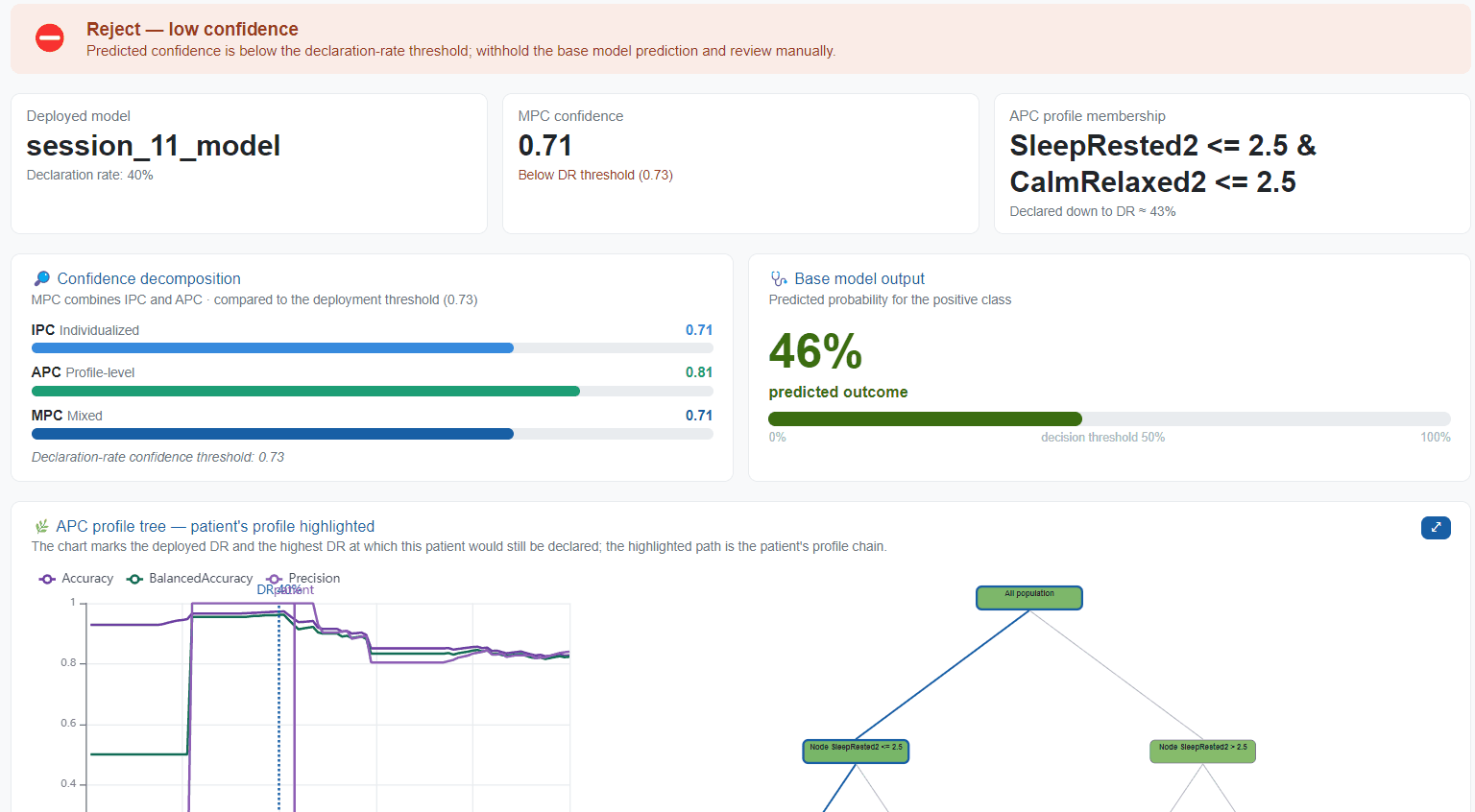
How much confidence a prediction deserves for one specific patient, estimated from the model's behaviour on similar cases.
Aggregated predicted confidence
Confidence for a whole patient profile, read off a tree that partitions the cohort into rules you can inspect and argue with.
Mixed predicted confidence
The two combined, so an individually uncertain patient inside a well-handled profile is treated differently from one inside a failing profile.
Withholding the least confident 7% of predictions improved sensitivity by 14.3% and AUC by 5.1% in internal validation.
Read the full method and results in the open access paper, or run the code behind its results.
From a Trained Model to a Safe One
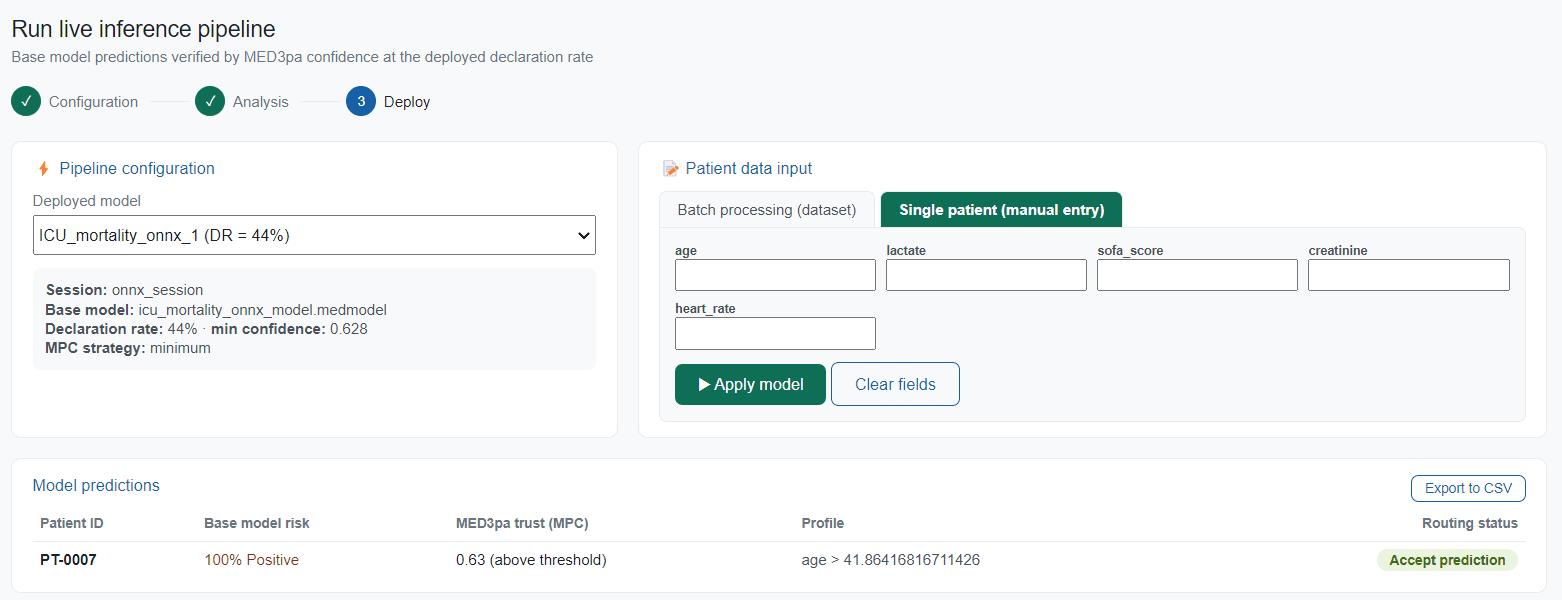
Import your model and patient cohort, configure how confidence is measured, read the declaration-rate curve, find the profiles where the model fails, and prevent from making uncertain predictions.

Reliable Deployment in 4 Steps
Choose the model to be evaluated, identify where its predictions hold, and finalize it with a confidence threshold specific to your contextual needs.
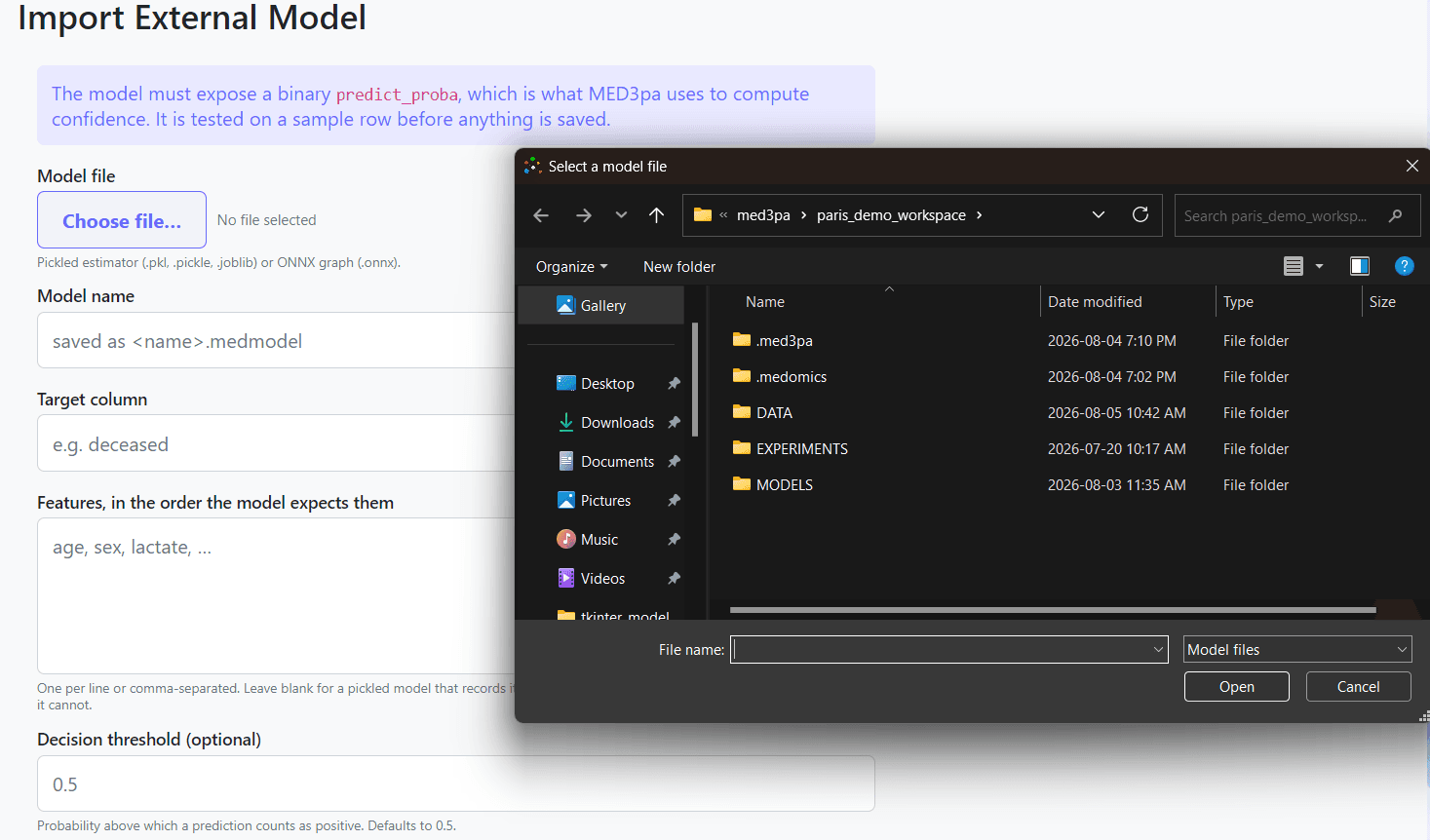
Import Your Own Model
Point MED3pa at a model you already trained, or at a column of predicted probabilities. No retraining, no rewriting.
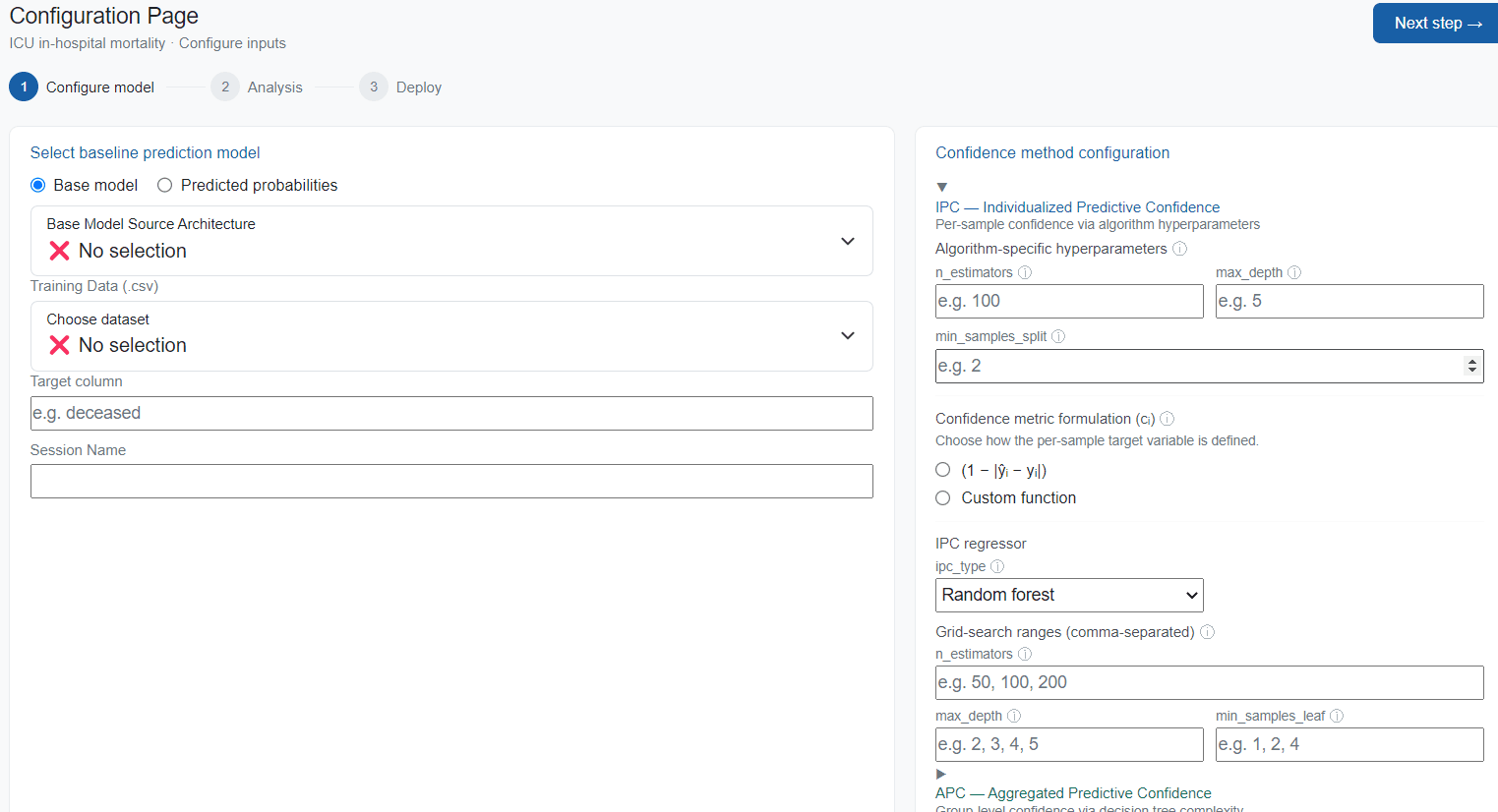
Estimate Confidence
Individualized, aggregated and mixed predictive confidence, computed per patient and per profile.
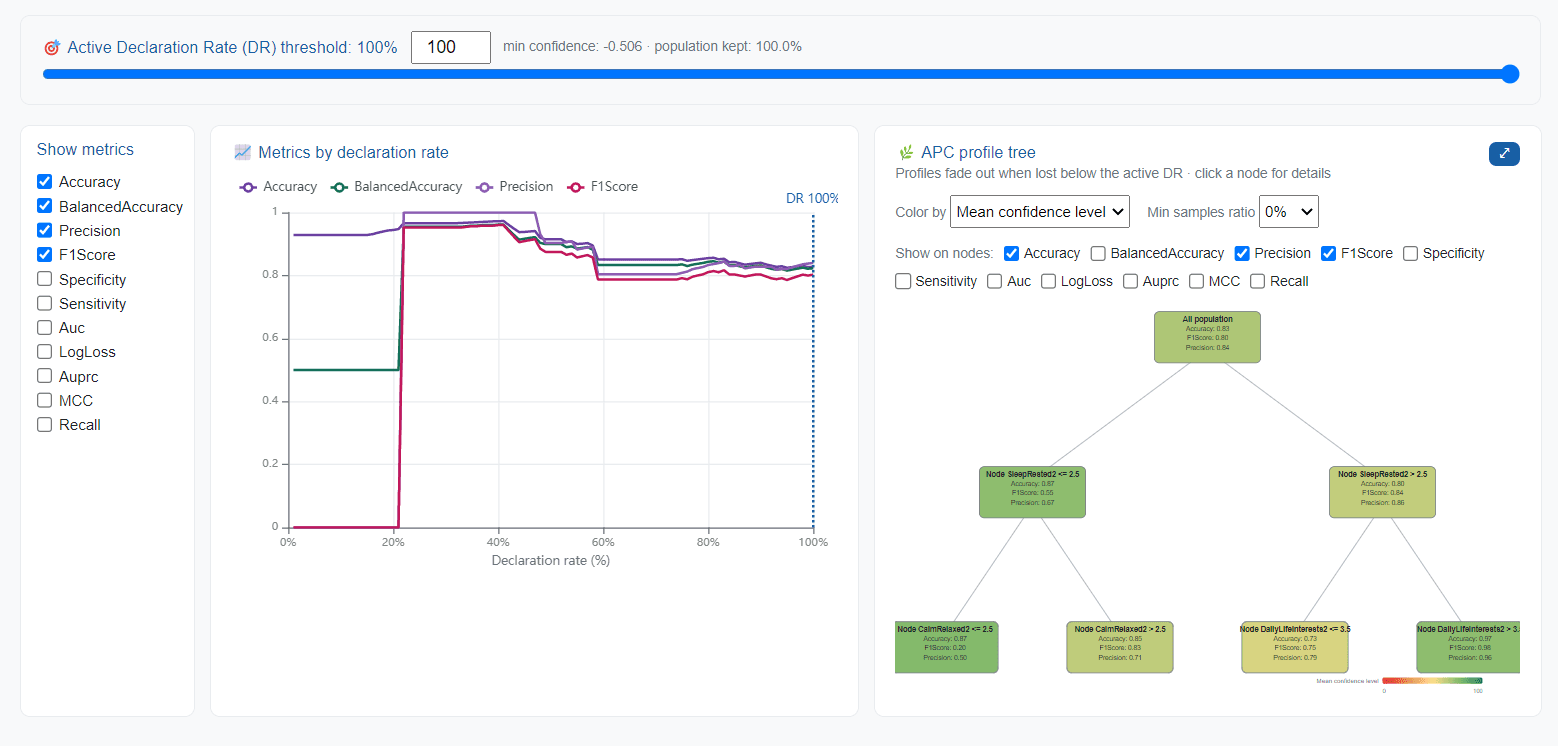
Expose Disadvantaged Profiles
See which patient profiles the model handles badly, expressed as rules you can actually read and act on.
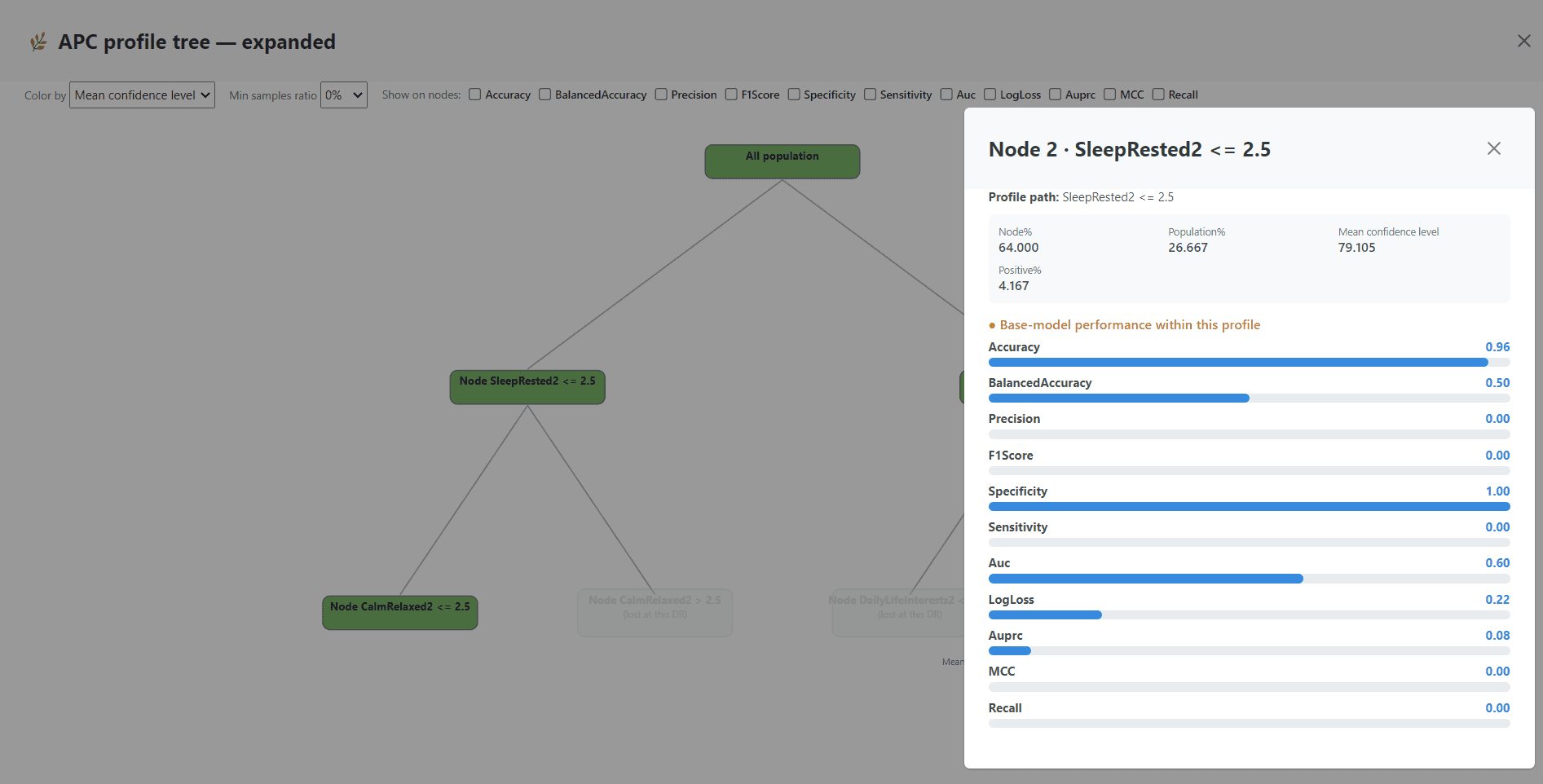
Deploy With a Threshold
Pick a declaration rate, export the deployed model, and let it abstain on the cases it cannot be trusted with.
Audit your model now
Use MED3pa as a Python package, or install the desktop application and run the whole analysis without writing any code.
pip install MED3paRequires Python 3.9+, developed and tested on 3.12. Works with any scikit-learn compatible classifier, or with predicted probabilities you already have.
from MED3pa.datasets import DatasetsManager
from MED3pa.models import BaseModelManager
from MED3pa.med3pa import Med3paExperiment
from MED3pa.visualization.mdr_visualization import visualize_mdr
from MED3pa.visualization.profiles_visualization import visualize_tree

# Point the manager at the cohort you want to audit
datasets = DatasetsManager()
datasets.set_from_data(
    dataset_type="testing",
    observations=x_evaluation.to_numpy(),
    true_labels=y_evaluation,
    column_labels=x_evaluation.columns,
)

# Wrap the model you already trained
base_model_manager = BaseModelManager(model=clf)

# Run the 3pa experiment
results = Med3paExperiment.run(
    datasets_manager=datasets,
    base_model_manager=base_model_manager,
    **med3pa_params
)
results.save(file_path="results/oym")

# Metrics by declaration rate, and the profile tree
visualize_mdr(result=results, filename="results/oym/mdr")
visualize_tree(result=results, filename="results/oym/profiles")Learn to use the Python library, step by step
Follow focused, practical guides to get the MED3pa python library running — from pip install to a full experiment, its curves and its profile tree.
Install MED3pa (Python)
Set up a virtual environment and install MED3pa via pip in minutes.
Open tutorialManage your datasets
Load a cohort with the DatasetsManager and split it into the roles MED3pa expects.
Open tutorialWrap your base model
Bring an already-trained classifier under the BaseModelManager, or start from predicted probabilities.
Open tutorialRun a MED3pa experiment
Configure IPC, APC and MPC, run the experiment, and save the results tree.
Open tutorialVisualize the results
Render metrics-by-declaration-rate curves and the interactive profile tree.
Open tutorial